Insert tab
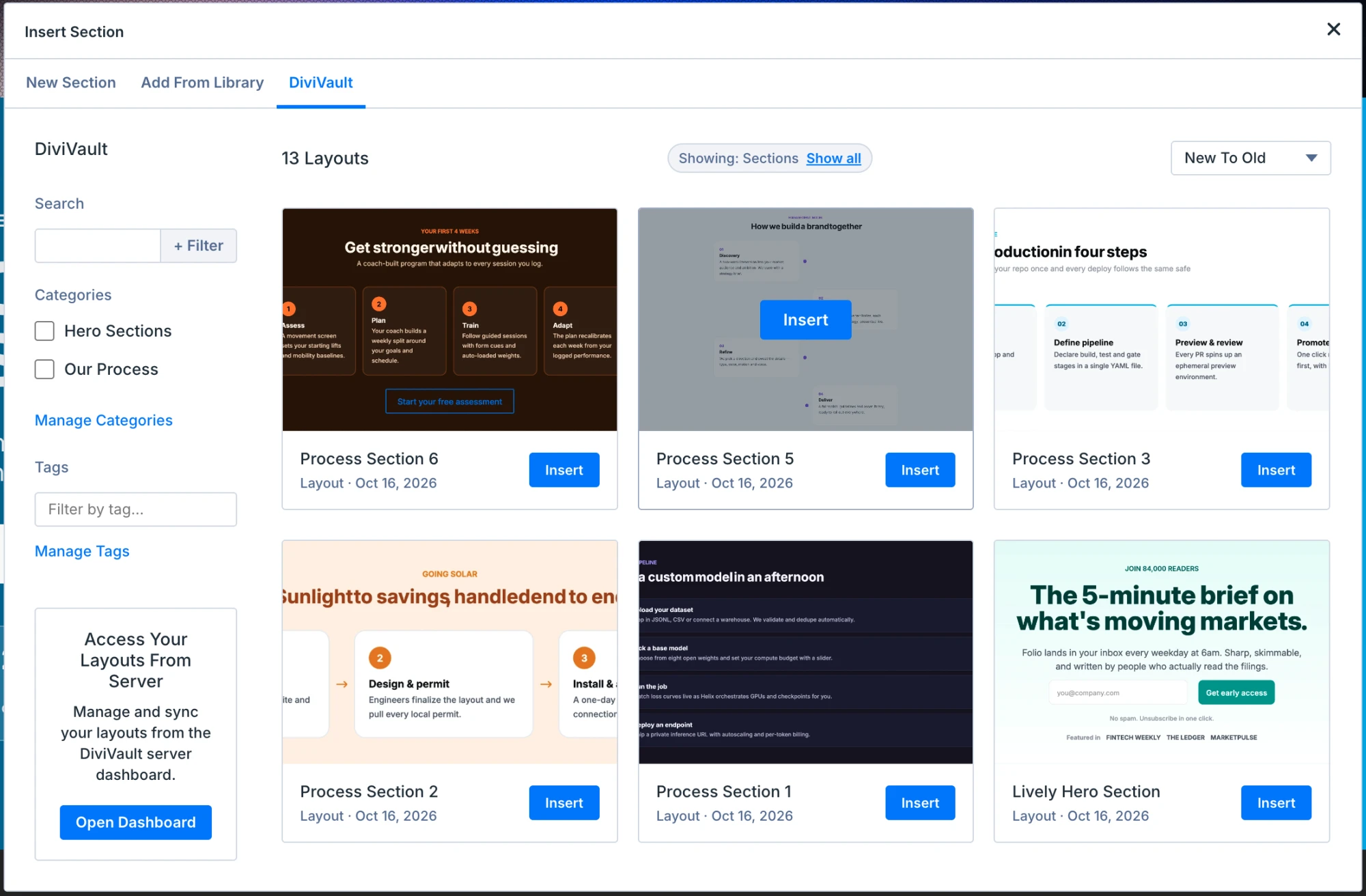
A DiviVault tab in Divi's Insert window that shows only what fits the spot you clicked.
Save a section, a page, CSS, code snippets, design variables, or your whole Theme Options setup on one site. Use it on every other connected site, right inside the Visual Builder.
Free up to 500 layouts. No card.
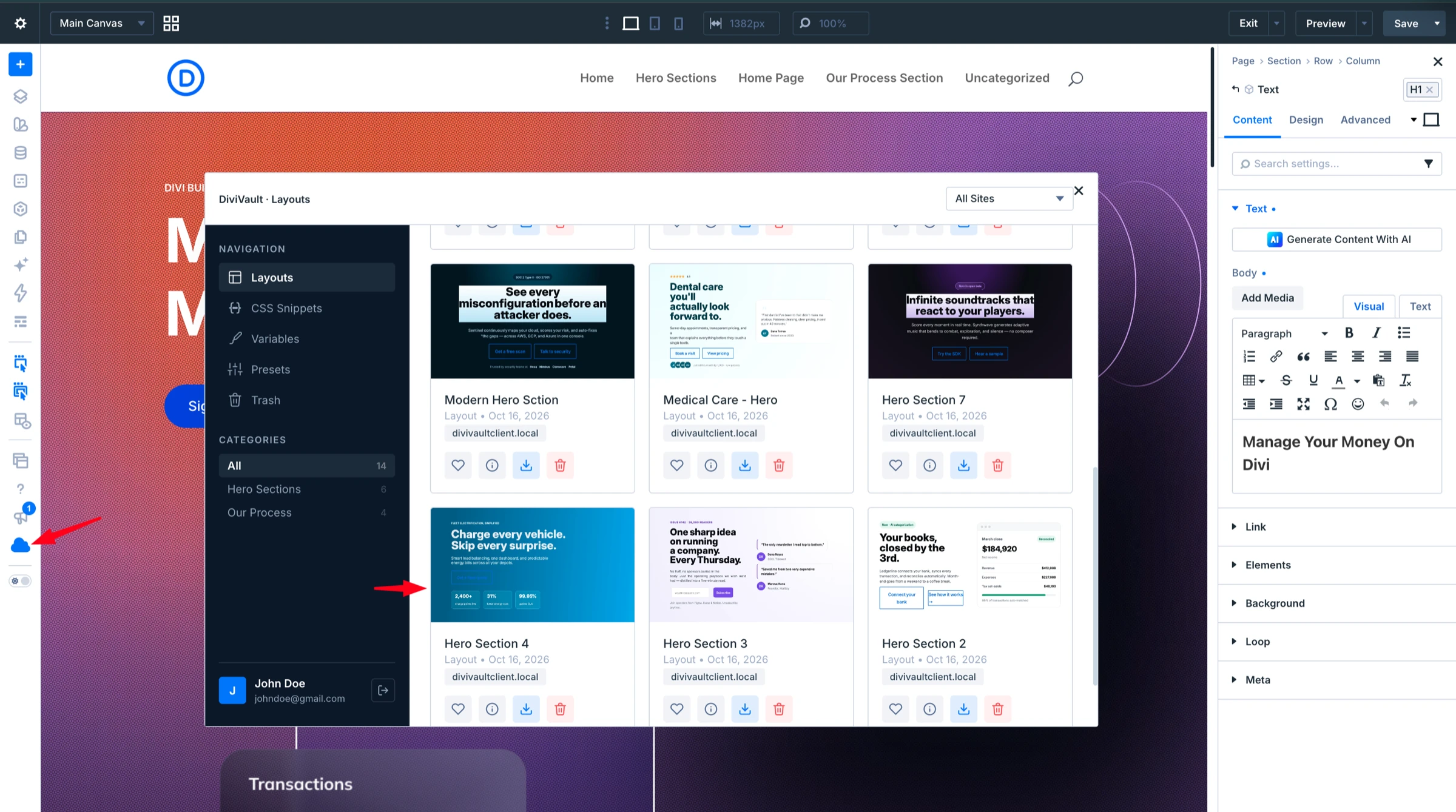
There is no new app to learn. You work from the Visual Builder and the Theme Options page, the places you already build in.
Install the plugin, open the DiviVault page in WordPress admin, and click Connect Now.
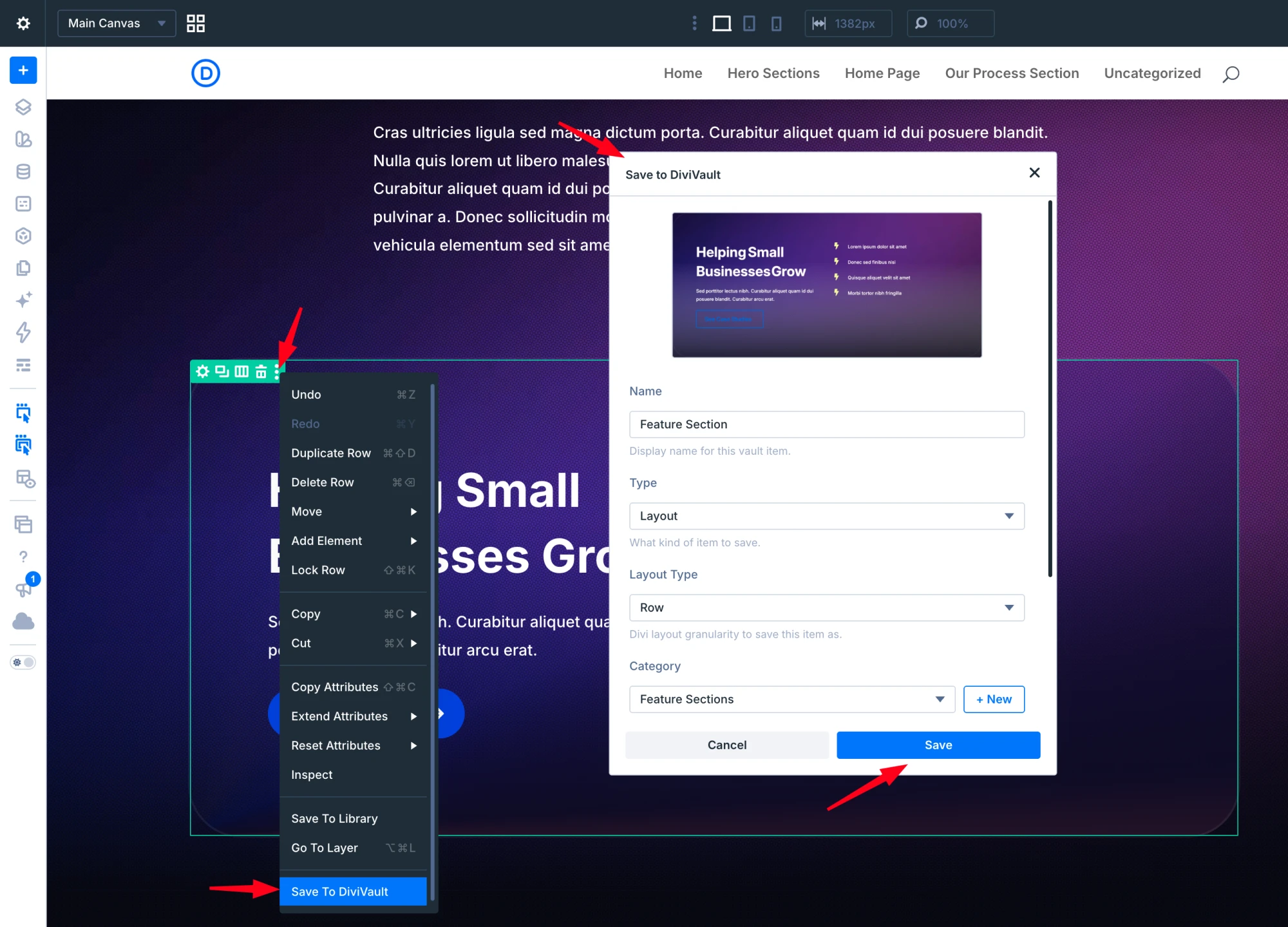
Right-click a section, row, or module and choose Save to DiviVault. Save a whole page from the page-bar gear menu.
Open the library on any connected site, or pick from the DiviVault tab in Divi's Insert window.
Requirements: WordPress 6.0 or newer · PHP 7.4 or newer · Divi 5 with your own Elegant Themes license · A DiviVault account
Layouts are only the start. Keep your CSS, tracking code, design variables, and Theme Options in the same place, ready on every connected site.
A DiviVault tab in Divi's Insert window that shows only what fits the spot you clicked.
Name the item, pick a category and tags, and capture a thumbnail if you like. The type is set automatically from what you saved.
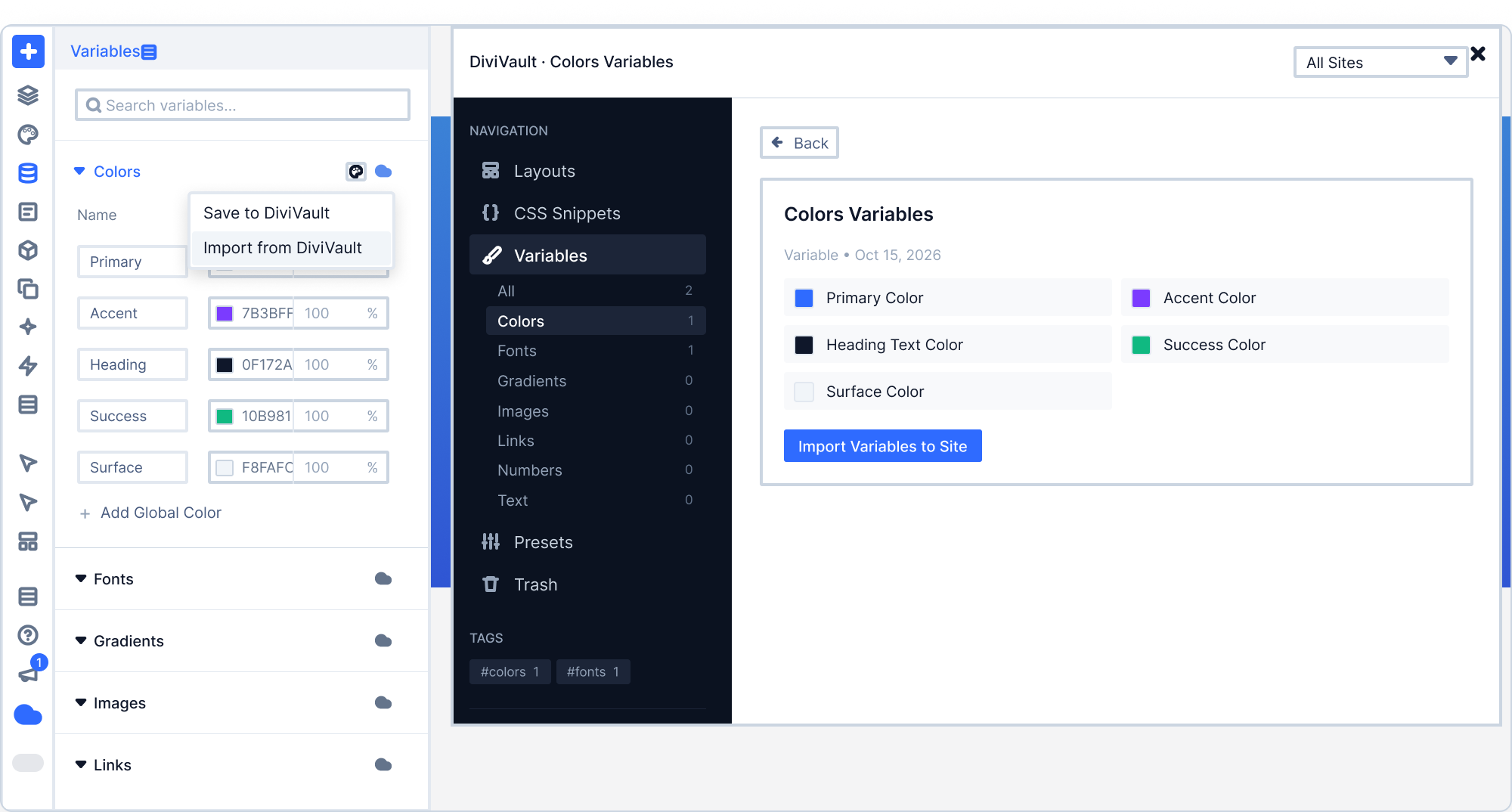
Save and import variable groups: Colors, Fonts, Gradients, Images, Links, Numbers, and Text. Merge or replace on import.
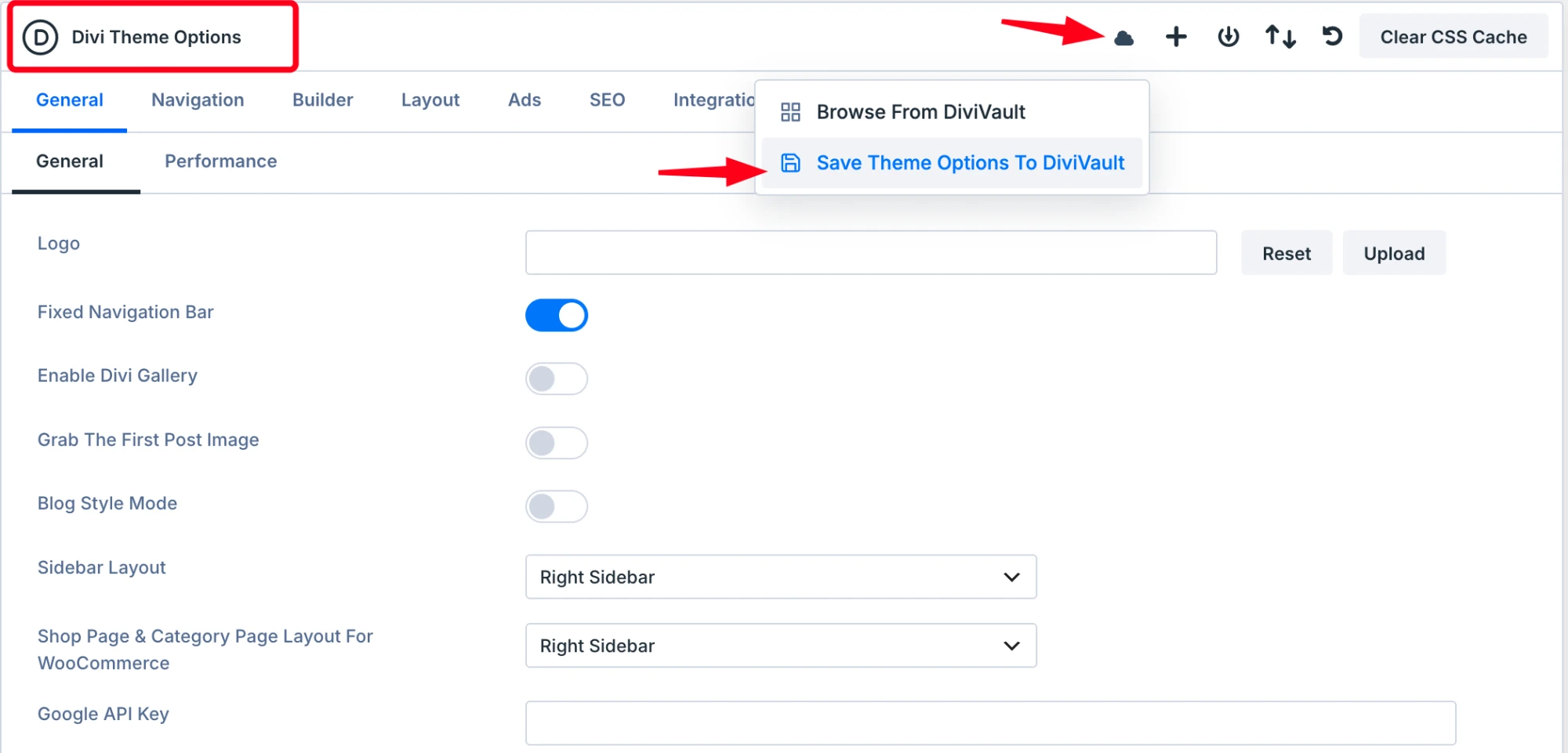
Save all your Theme Options as a snapshot, browse your snapshots, and apply one to another site.
Open your library from the builder bar and add saved items to the page without leaving Divi.
Save, update, and insert CSS from any section, row, module, or Page Settings CSS editor, after the existing code or in place of it.
Reuse the Theme Options Custom CSS and all four Integration code fields on every site.
Images up to 2 MB each and the global colors and variables a layout uses travel with it. Images already in the Media Library are reused.
Start free with up to 500 layouts. Move to a paid plan when you want unlimited layouts, design variables, portable designs, and the layout library.
$0
Your own cloud library, free for up to 500 layouts.
$9/monthor $49/year early-bird
Everything in Free, plus:
A few new layouts every week. Copy one on getdivivault.com and paste it into the Visual Builder. It arrives as normal, editable Divi modules.
Pick monthly, yearly, or lifetime. The only difference is how you pay.
One shared library for your sites, free.
$0
No card needed
Start freeEvery feature, billed monthly.
$9/month
Choose monthly
Recommended
Every feature, billed yearly.
Regular price $99$49/year
Early-bird price
Choose yearlyEvery feature, paid once.
$299once
Limited run of 100 licenses
Choose lifetimeEvery paid plan includes every feature and the full layout library. 14-day refund. See therefund policy.
You need WordPress 6.0 or newer, PHP 7.4 or newer, Divi 5 with your own Elegant Themes license, and a DiviVault account. DiviVault works inside Divi 5 and does not include a Divi license.
Your own cloud library: the Cloud Library in the Visual Builder, the Insert tab, saving sections, rows, modules, and pages, CSS and code snippets, and Theme Options snapshots. It holds up to 500 layouts. The layout library is not included.
Unlimited layouts, the DiviVault layout library with Paste from Cloud, design variables sync, portable designs, the site-wise library, and Theme Options export. Monthly, yearly, and lifetime all include every feature.
Open the DiviVault page in WordPress admin and click Connect Now. Each WordPress user signs in to their own DiviVault account. You can also sign in from the library window itself.
Yes. Everything you insert, paste or import arrives as normal Divi modules, so you edit it like anything else on the page.
On paid plans, images up to 2 MB each are stored with the layout and added to the new site's Media Library when you import it. If the same image is already there, DiviVault reuses it instead of adding a copy.
Yes, paid plans have a 14-day refund. The refund policy page has the details.
Install the plugin, connect a site, and save your first section. The free plan holds up to 500 layouts.